
Verified 15 September 2026.
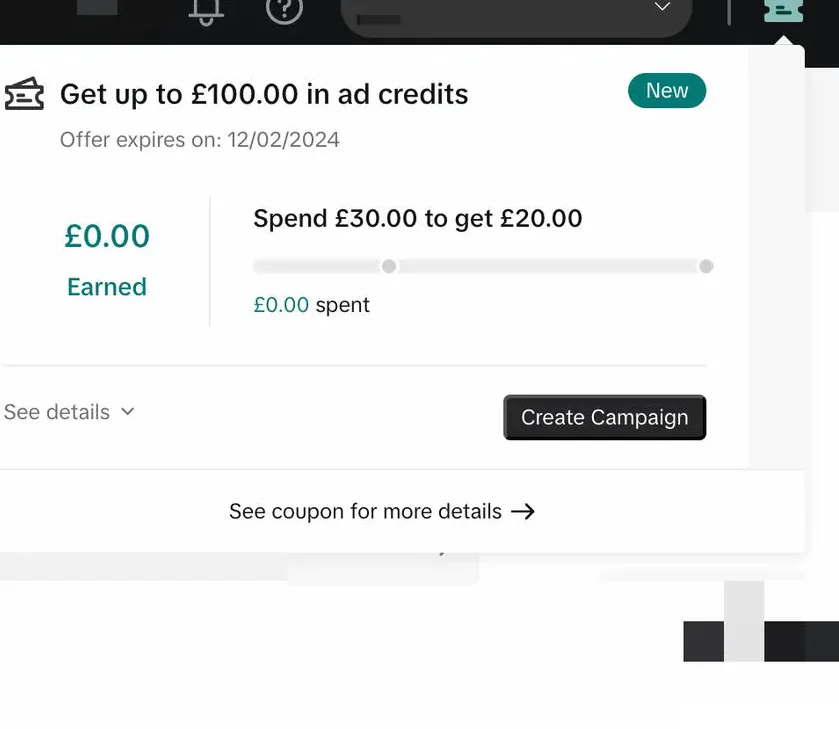
If Promotions is empty after you spent, the credit is usually not “late.” It is not attached, not due yet, or blocked. TikTok often does not email you either way.
This page is the diagnostic. The happy-path order is how to claim. Who should have qualified: eligibility. The product: coupon.
Where it is supposed to appear
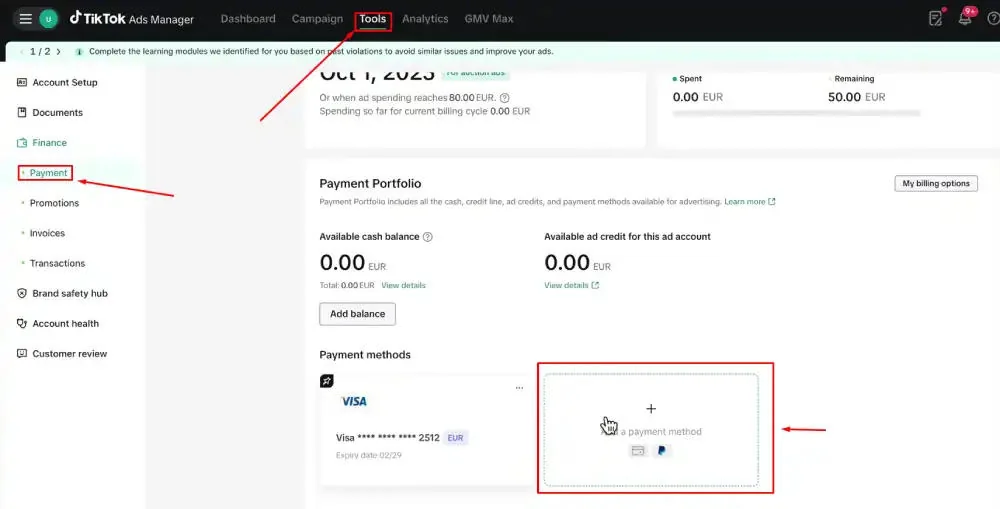
Ads Manager → Tools → Payments → Promotions.
Tabs: Available / Earning / Not available.
Some accounts also get a ticket icon at the top right.
Shop sellers on the other program: Seller Center → Marketing → Shop Ads → Ads Dashboard → Coupon Progress.
If you are looking in the TikTok app wallet, you are in the wrong product. Coins are not ad credit.
Diagnostic tree
Work top to bottom. Stop at the first match.
1. The offer never attached.
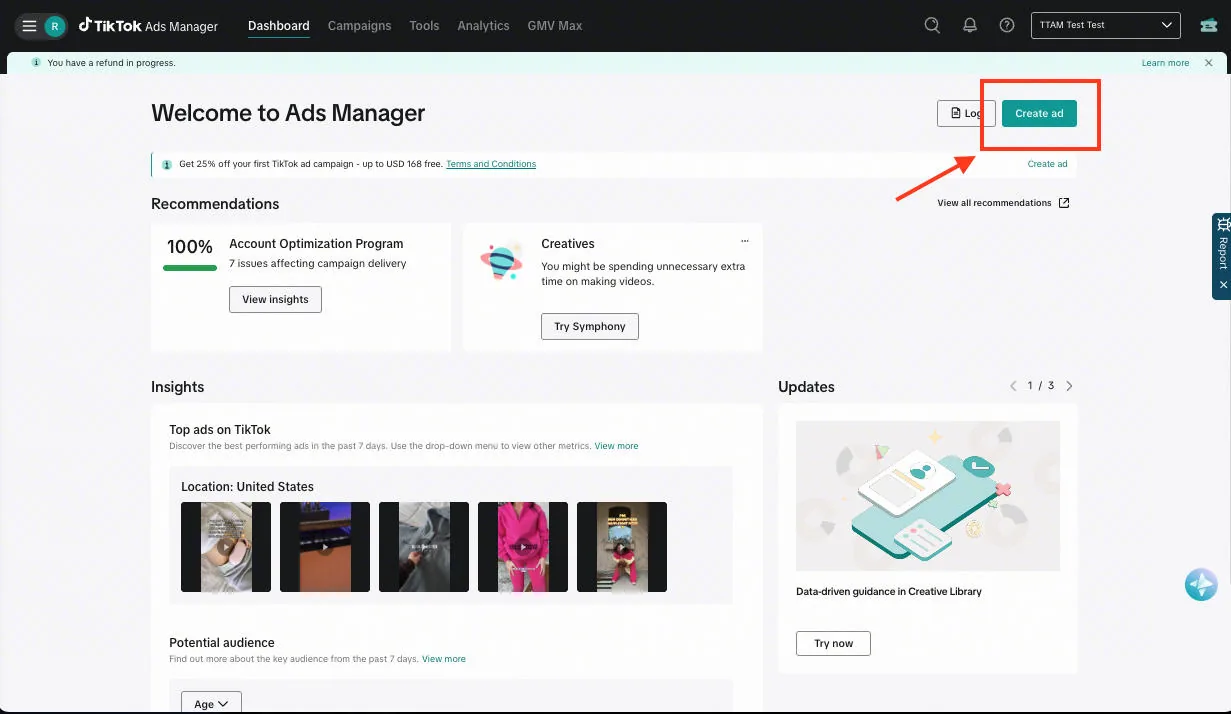
Account created on ads.tiktok.com with no banner. Partner link opened later does not backfill. Support usually cannot add it. Spend already made will not become a match. This is the most common miss.
2. You are still inside the 30-day window on a $200–$4,000 tier.
Those rungs issue after the window closes — typically 1–7 business days after day 31. Official Help: non-top-tier ladder rewards land the day after the earning window closes. The $6,000 tier is the exception: $6,000 credit.
3. Cash spend is under $200.
No rung unlocks. Tax and leftover promo credit do not count. Official Coupon Terms: only paid bill / consumed top-up counts.
4. You spent in Promote, not Ads Manager.
In-app Promote is not this offer.
5. You spent before a regional code was active.
On APAC Redeem Coupon offers, spend before activation does not count. Activate within 14 days of receiving the code, then spend. Path is on the coupon page.
6. The account is not new.
Prior TTAM spend, even old and dormant, burns eligibility. A second advertiser under the same TikTok For Business or Business Center that already received an incentive is blocked. Official: a new advertiser under the same TT4B / Business Center “will not enjoy the incentive again.”
7. Shop-linked or agency-created.
Shop has a separate Product Sales incentive. The self-serve ladder often excludes Shop-linked accounts that already advertised, and Business Center children. Wrong stack → empty Promotions on the ladder you thought you joined.
8. “Highly similar” account.
Official June 2026 Help: accounts identified as highly similar to existing or previously active advertisers may not be eligible. Same legal entity, cards, pixel, or domain across IDs.
9. Credit is frozen or suspended.
Risk controls can freeze the coupon after you launch. Official path: appeal inside the same Promotions interface, or TikTok Business Support. Policy-violating inventory can void the credit with no refund of the cash you already spent.
10. The credit is assignable and sitting unused.
Available tab shows a balance but campaigns still bill cash. Restrictions → Assign to Campaign. Admin role required.
11. You are looking at an expired card.
Not available tab holds used-up and expired credits. Expiry is Coupon Progress → Details. Unused credit dies on that date. It does not convert to cash. Close-account refunds apply to cash balance (Help cites up to 60 days), not promotional credit.
What official terms say happens next
- Credits apply to future advertising only. They cannot pay invoices from before the offer attached.
- When unused amount hits $0, the payment method is charged. No notification.
- TikTok can withhold or withdraw credits for policy reasons.
- If you qualified and the window closed with no credit, appeal with the screenshot pack below.
Screenshot pack for an appeal
- Partner URL on signup day
- Account-created date
- Promotions Earning tab, day 0
- Billing / consumed spend with tax broken out
- Promotions Available or Not available after the window
- Any freeze or suspended banner
Day-0 checklist (print this)
- URL you used to create the account was the partner page, not a cold
ads.tiktok.com. - Promotions shows an Earning card with a spend number, not an empty state.
- Registration country matches the business. VPN off.
- Account is Ads Manager, not only Business Center, not only Shop.
- No prior spend on this For Business entity.
- Payment method is not a prepaid BIN that passed auth and will fail promo review.
- You have not already redeemed a Shop coupon on a linked advertiser.
If 1 or 2 fail, stop. Spending cannot backfill an attach. How to claim · Eligibility.
If 2 passes and you already spent, wait for the window math: lower rungs land day 31 + 1–7 business days. The $6,000 rung is the exception. $6,000 credit.
If Promotions never showed an Earning card, do not fund a second ID under the same login. Read eligibility first.